A customer approached a library staff member the other day and asked where she could pick up her fax confirmation sheet. The library staff member was puzzled, and rightly so, because we do not have any fax machines for the public. When confronted with this fact, the customer stated that she had sent a fax with one of our public computers.
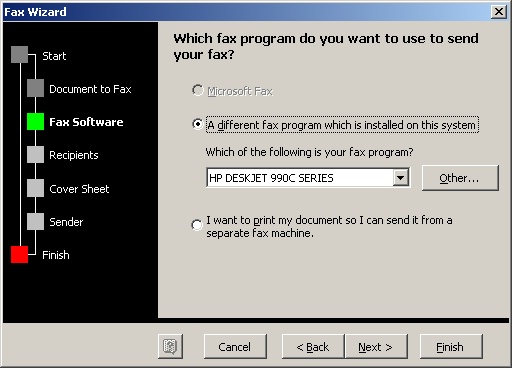
Even more confused, the staff member asked the customer to show her how she sent the fax. The customer was in Microsoft Word and if you click on File>Send To, a menu appears with an option to Fax Recipient. The Fax Wizard (pictured) appears and walks you through the process.
However, it then asks which Fax program you want to use. The only options are the printers that are attached to the public computers (NOTICE no fax machines). You can click next and go through a few more steps until you click on send fax. A window then pops up saying that the fax went through. OF COURSE IT DID NOT, because our printers cannot fax.
So, if this ever comes up again, the short answer is this:
"I'm sorry, that function of Microsoft Office does not work because we do not have any fax machines attached to the computers. However, I do know that [such and such a place] has a public fax machine. . ."
The mystery of the Faux Fax is solved!